Updated
Supplier Document Review Checklist: What QA Teams Should Verify
Download a supplier document review checklist for checking identity, validity, scope, dates, evidence, decisions, and follow-up across supplier records.
Collecting a supplier document is not the same as reviewing it. A file can be current but cover the wrong site, genuine but outside the required scope, complete but linked to the wrong supplier, or valid when received and expired before anyone acts on it.
A supplier document review checklist gives QA, technical, procurement, and compliance teams a consistent way to decide whether evidence can be accepted.
Download the supplier document review checklist
The checklist works across certifications, insurance, specifications, questionnaires, licenses, declarations, audit reports, COAs, and other supplier evidence. Adapt the checks to the document type and risk.
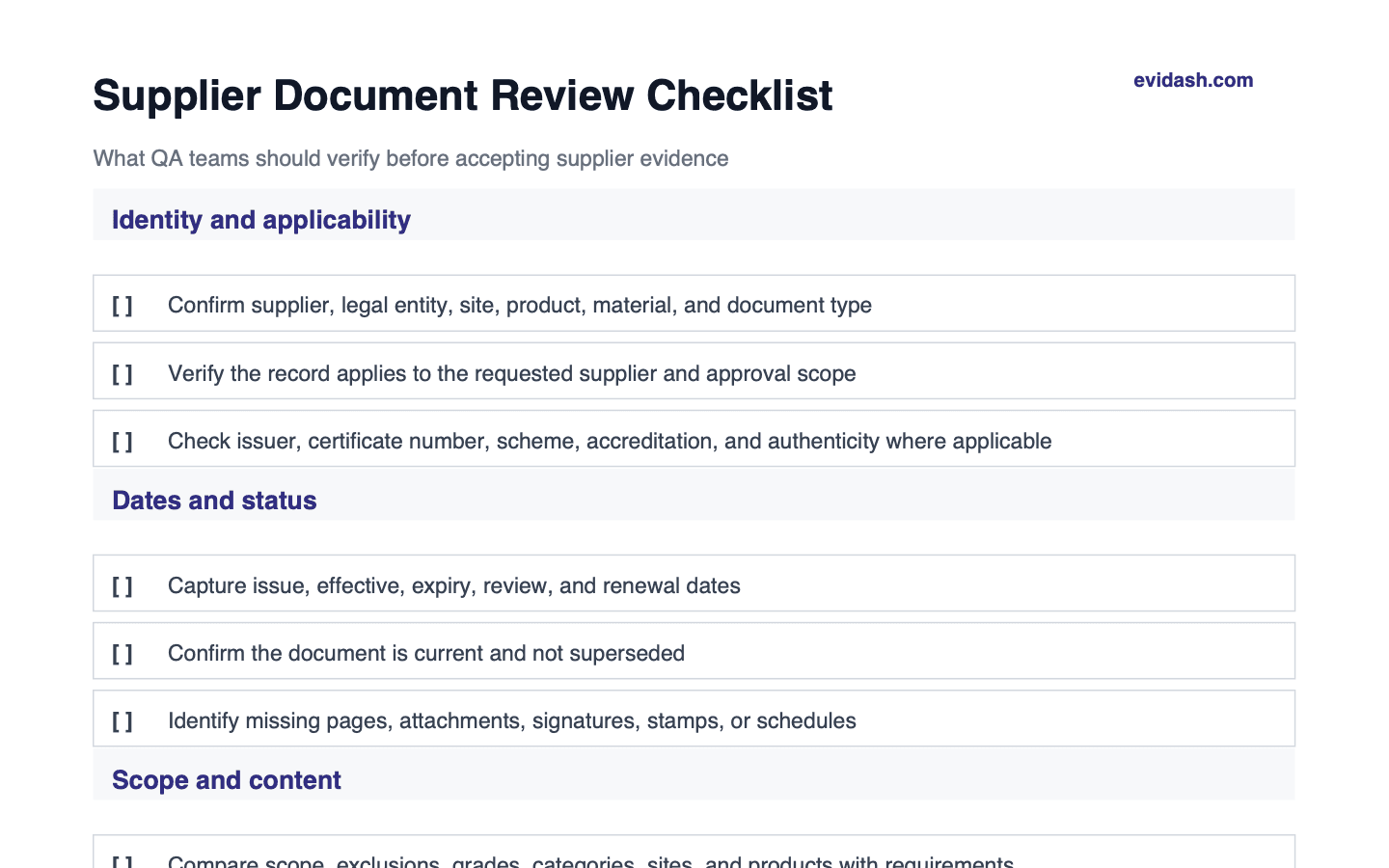 More checks in the full PDF
 What supplier document review should establish
A defensible review should answer six questions:
- Is this the right document type?
- Does it belong to the correct legal entity, site, product, and scope?
- Is it authentic, complete, current, and legible?
- Does its content meet the defined requirement?
- Who made the decision, using which evidence and requirement version?
- What follow-up is needed, by whom, and by when?
If the review cannot answer those questions later, the process has collected a file but has not created reliable approval evidence.
1. Confirm document identity
Start with the record itself:
- document type and title,
- supplier legal and trading name,
- manufacturing or service site,
- issuer or certification body,
- certificate, policy, license, report, or document number,
- product, material, service, region, or activity covered.
Small identity differences can matter. A parent-company certificate may not cover a manufacturing subsidiary. A group insurance policy may omit the contracted entity. A certificate for one site says nothing about another.
2. Verify authenticity and completeness
Check for expected pages, schedules, annexes, signatures, seals, accreditation references, and issuer details. Where risk justifies it, verify the record against the issuer's database or another authoritative source.
Flag:
- cropped or missing pages,
- inconsistent names or identifiers,
- altered dates or formatting,
- missing schedules that define scope,
- broken verification references,
- low-quality scans that prevent a reliable decision.
Do not silently accept ambiguity. Route it for clarification and preserve the reason.
3. Check dates and current status
Capture the dates that control validity:
- issue date,
- effective date,
- expiry date,
- audit or inspection date,
- review date,
- renewal or next-action date.
Then determine whether the document is current, approaching expiry, expired, superseded, or not yet effective. A certificate expiry tracking workflow should turn those dates into visible actions rather than passive spreadsheet fields.
4. Compare scope with the requirement
This is often the most important review step. Compare the submitted evidence with the requirement that triggered the request.
For certifications, check scheme, grade, category, site, scope, exclusions, and certification-body status. For insurance, check policy type, limits, territory, named entity, exclusions, and contractual requirements. For specifications, compare product identity, revision, limits, declarations, and approval status.
Record the requirement version used in the decision. Requirements change, and future reviewers need to know what standard was applied at the time.
5. Review document-specific content
Apply checks appropriate to the evidence:
Certifications and licenses
- correct standard and current status,
- relevant site, activity, and product category,
- acceptable grade or result,
- valid issuer and accreditation where required,
- open findings or conditions understood.
Insurance
- correct insured entity,
- required policy type and coverage limits,
- acceptable territory and activities,
- expiry and cancellation conditions,
- relevant endorsements and exclusions.
Specifications and declarations
- current approved revision,
- product and supplier linkage,
- required technical, allergen, legal, and quality information,
- approval and change history,
- consistency with related records.
Audit reports and questionnaires
- scope and date,
- complete responses and supporting evidence,
- finding severity and closure status,
- reviewer competence and independence where relevant,
- effect on supplier approval.
COAs and test evidence
- batch and product identity,
- results, units, methods, and limits,
- consistency with the current specification,
- out-of-specification handling,
- release or exception decision.
6. Record a clear review decision
Use a controlled status such as:
- Accepted: evidence meets the requirement.
- Conditionally accepted: usable with a documented restriction or time-bound action.
- Needs review: human judgment or additional evidence is required.
- Rejected: evidence does not meet the requirement.
- Superseded: retained for history but not current.
Record reviewer, timestamp, rationale, requirement version, and supporting evidence. Avoid unexplained checkmarks.
7. Assign follow-up and preserve traceability
For every open issue, record owner, supplier contact, action, due date, reminder cadence, and escalation route. Keep replacement files and the correspondence that resolved the issue linked to the original review.
Evidash document processing software can extract and highlight likely evidence, while the QA reviewer remains responsible for the final decision. Connecting that review to the supplier record keeps the file, requirement, decision, and follow-up in one audit trail.
Common supplier-document review failures
- Checking expiry but not scope
- Accepting a group-level record for the wrong legal entity
- Saving a replacement file without marking the previous version as superseded
- Recording acceptance without reviewer or rationale
- Treating AI extraction as the final compliance decision
- Failing to connect a rejected document to approval status or supplier follow-up
- Keeping evidence in email after the formal record is updated
Where this checklist fits
Use this checklist inside the wider food supplier approval process, during a food supplier audit, and as part of the 90-day supplier compliance program. It is the review layer between receiving evidence and relying on it.
Frequently asked questions
Can AI approve supplier documents automatically?
AI can extract fields, compare likely evidence, and surface exceptions, but the accountable QA or compliance reviewer should make the final decision where regulatory, safety, contractual, or material judgment is involved.
Should expired supplier documents be deleted?
Usually no. Mark them as expired or superseded and retain them according to your record-retention rules so the historical approval and review trail remains explainable.
How often should supplier documents be reviewed?
Review on receipt and renewal, then trigger additional review after relevant supplier, site, product, requirement, certification, incident, or risk changes.
What should a supplier document review checklist include?
Check the supplier's legal name and site, document type, issuer, reference number, issue and expiry dates, and the products or activities covered. Compare the evidence with the specific requirement, record any gaps, and save the review decision with the reviewer, date, and follow-up owner. A file being present is not the same as the requirement being met.
How do I check whether a supplier certificate is valid?
Match the supplier name, site, standard, scope, certificate number, and dates to the goods or services you buy. Where available, check the certificate in the scheme owner's or certification body's directory, including whether it has been suspended or withdrawn. If details cannot be confirmed, contact the issuer using independently obtained contact details and record the result before accepting the certificate.
What should I do if a supplier document is missing or expired?
Record which requirement is affected, request the correct evidence, and assign an owner and deadline. Assess the impact on the supplier's approval status using your risk and escalation procedure. If an exception is permitted, document its scope, authorization, conditions, and end date; otherwise keep the requirement unresolved and apply the relevant purchasing or use restrictions.
See Evidash on your own documents
Put supplier certificates, specs, and COAs through the same audit-ready workflow you just read about.