Spec management software for food QA teams
Food specification management software for QA teams
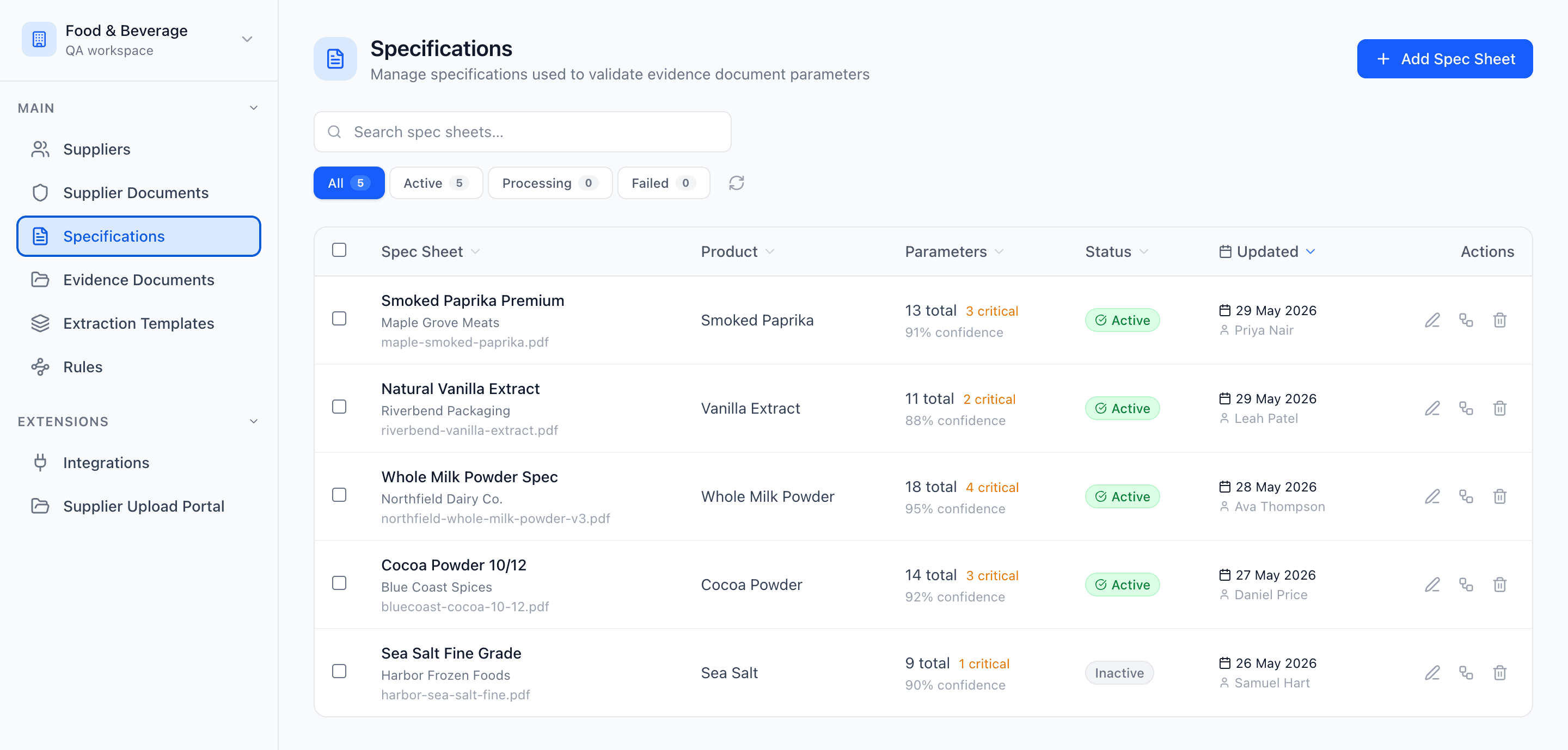
Manage spec sheets with version history, approvals, and a clear current record so your team can review incoming documents against the right requirements.
Encrypted in transit & at restHuman-in-the-loop reviewContinuous audit trail
Built for regulated, audit-ready operations
Encrypted in transit & at restRuns on AWS infrastructureHuman-in-the-loop reviewContinuous audit trail
See it in action
One current spec, with the full history behind it
Version control and approvals make it obvious which spec is live — and what changed.
Always know which version is approved
The current spec is clearly marked, with previous versions kept and traceable, so your team never reviews against the wrong file.
- Current version flagged at a glance
- Full version history with approver and date
- Older versions retained for traceability
Review incoming documents against the right baseline
Approved specs become the reference point for checking COAs and other supplier documents, so verification stays consistent.
- COA values checked against the approved spec
- Specs linked to the right supplier
- A stronger foundation for document review
The problem
Spec sheets are often stored, but not really managed
In many teams, spec sheets live across shared drives, email threads, PDFs, and spreadsheets. Older versions stay in circulation, approvals are hard to trace, and people waste time checking whether they are reviewing against the latest file.
That becomes a bigger problem when specs are needed for real work: checking incoming COAs, reviewing supplier documents, answering internal questions, or preparing for audits.
Evidash gives your team one place to keep supplier specs organized, current, and ready to use.
Benefits
Built for more than just storing files
Current approved spec, clearly visible
Make it obvious which version is current so your team is not working from outdated files.
Version history and traceability
Track how specs change over time and keep historical versions available when needed.
Linked to the right supplier
Keep each spec connected to the supplier it belongs to instead of buried in folders or email chains.
Structured for review workflows
Use approved specs as the baseline for reviewing incoming COAs and other supplier documents.
Faster internal answers
Find the right specification faster when QA, procurement, or operations need it.
Better audit readiness
Keep approvals, versions, and supporting context easier to understand when questions come up.
How it works
How spec management works in Evidash
01
Store supplier specs in one place
Create a clear home for each supplier spec instead of relying on folders, inboxes, and scattered files.
02
Track versions and approvals
Keep a history of updates and make the current approved version easy to identify.
03
Link specs to supplier records and documents
Connect each spec to the supplier and use it across the rest of the workflow.
04
Review incoming documents against the right spec
Use the approved spec as the reference point for document extraction, matching, and verification.
Use cases
Everything your team needs to manage specs properly
Clear current version
Make the approved specification easy to find without second-guessing which file is the right one.
Version control
Keep historical versions available so changes can be traced over time.
Approval visibility
Track whether a spec is draft, current, replaced, or pending review.
Supplier-linked records
Keep specs tied to the correct supplier so they stay usable in context.
A stronger review foundation
Use specs as the baseline for checking COAs and other supplier documents against expected values and requirements.
Outcomes
What better spec management looks like
When specs are organized, current, and easy to trust, teams spend less time checking file names and more time reviewing the things that matter.
Instead of wondering which version is approved or where the right file is stored, QA teams can work from one reliable source of truth that supports document review, supplier management, and audit preparation.
- Fewer outdated specs in circulation
- Faster access to the right approved version
- Better traceability of changes over time
- Stronger review workflows for incoming documents
- Less confusion across QA, procurement, and operations
Explore more
Spec management works best when it connects to the rest of the workflow
Keep specs connected to supplier records and use them directly in document review and follow-up workflows.
Keep supplier records, contacts, and linked specs in one place.
Match incoming COAs and other documents against approved specs.
Track related records and follow up before issues become urgent.
Software evaluation guide
Compare food specification management platforms
Use the buyer's guide and downloadable scorecard to evaluate version control, approvals, supplier context, incoming-document verification, integrations, and implementation.
Read the specification software buyer's guideFAQ
Frequently asked questions
What does spec management include in Evidash?
Spec management includes storing supplier specs, tracking versions, identifying the current approved record, and using specs as the baseline for document review workflows.
Can I keep historical spec versions?
Yes. Evidash is designed to help teams keep a clear history of spec updates over time.
How does this connect to document review?
Approved specs can be used as the reference point for reviewing incoming COAs and other supplier documents.
Is this only for COAs?
No. Specs can support a wider range of supplier document workflows, not just COA review.
Why not just keep spec sheets in folders?
Folders can store files, but they do not make it easy to see the current approved version, track changes, or use specs consistently across downstream workflows.
Turn spec sheets into a usable source of truth
Evidash helps QA teams keep supplier specs current, connected, and ready to support review, verification, and compliance workflows.